
How QuickTenders works
From your first profile to a submitted bid — here's exactly what happens at each step, what you'll see, and what you get.
Step 1
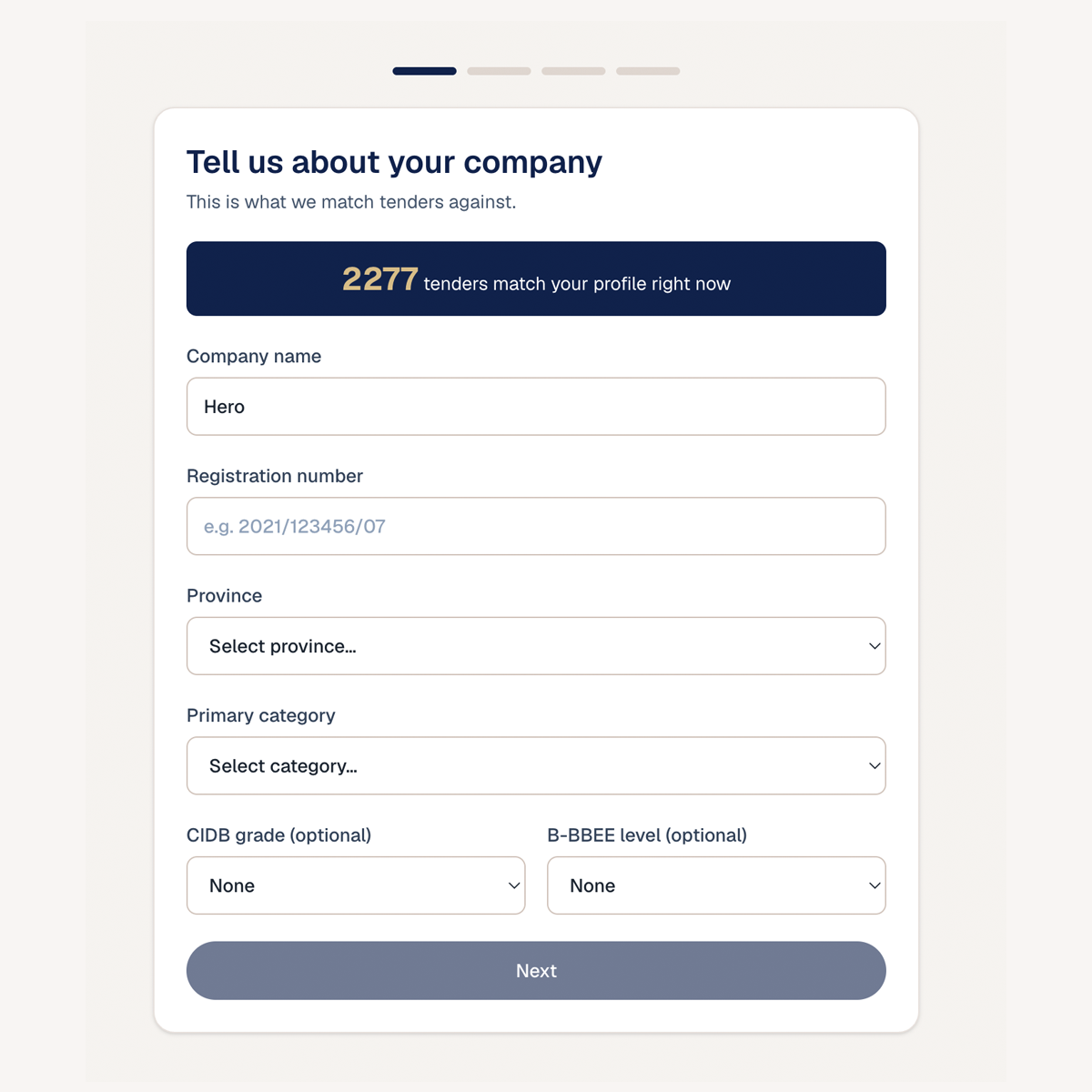
Tell us about your business
Answer a few questions about your sector, location, CIDB grade and B-BBEE level. It takes minutes, and it's the foundation for everything else — the more we know, the better your matches.
What you'll see: A simple guided profile builder with a live counter showing how many tenders already match you.
Step 2
See your matches
Every open tender is scored against your profile, so you instantly see which ones fit. No more scrolling through hundreds of irrelevant bids — focus on the ones you can actually win.
What you'll see: A ranked list of tenders with a match-score badge on each, and a plain-English breakdown of why each one scored the way it did.

Step 3
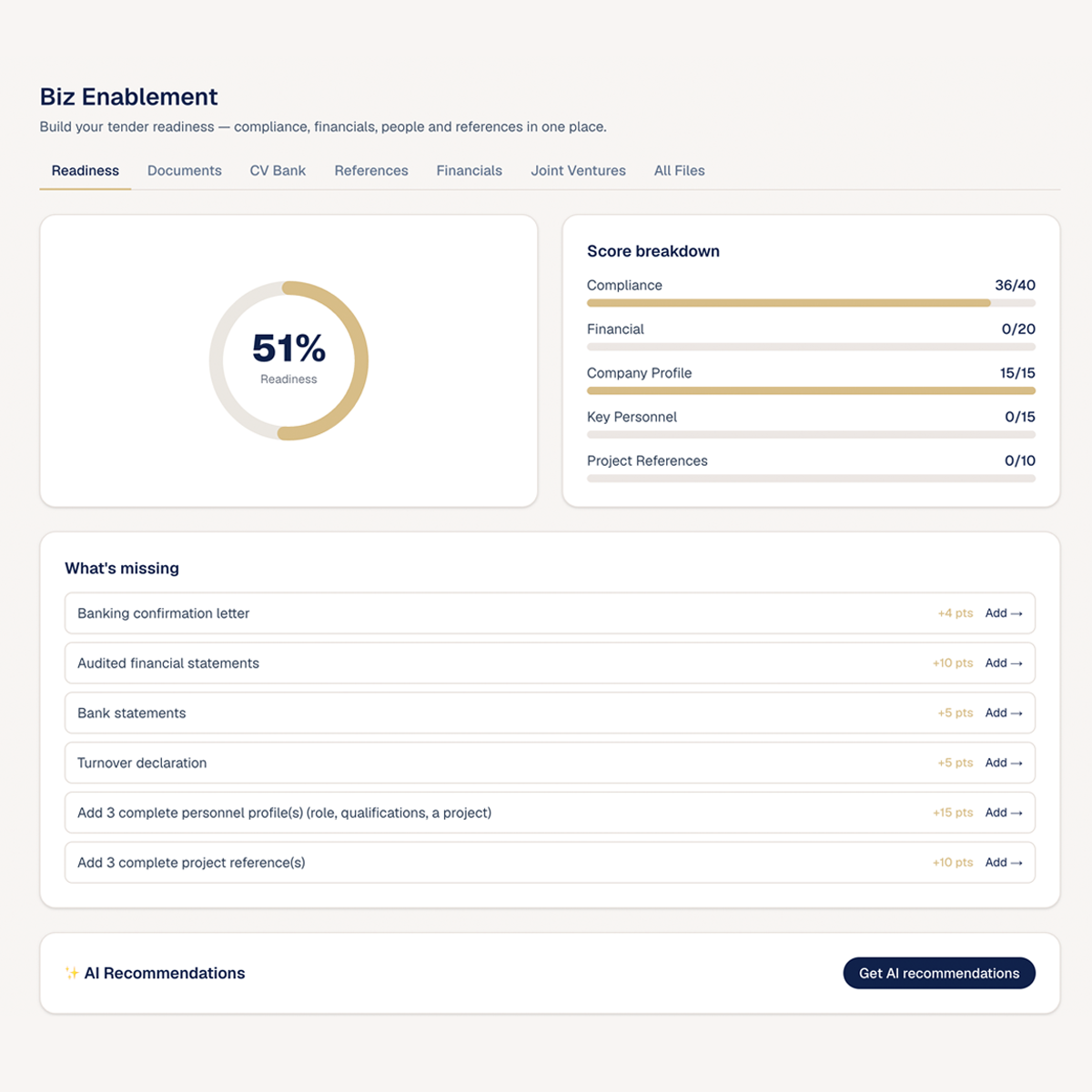
Get tender-ready
Keep your registration, tax, and B-BBEE documents in one place, with reminders before anything expires. When the right tender appears, your paperwork is already in order.
What you'll see: A readiness score ring and a document checklist showing what's current, what's expiring soon, and what's still missing.
Step 4
Build your submission
Start a workspace for any tender. Forms come pre-filled from your profile, and on paid plans the AI copilot helps you write each section — so you're never staring at a blank page.
What you'll see: A three-pane editor: a section navigator on the left, your draft in the middle, and the tender's requirements on the right.

Step 5
Submit
When you're done, download your submission pack, indexed with a contents page, and submit it to the buyer yourself — signed, the way the tender asks. You bid with confidence, knowing nothing was missed.
What you'll see: A submission summary with a completeness check and a one-click export of your full bid pack.